How to Activate CD Keys on Epic Games

Now that you have acquired a key for a new game, you will definitely want to know how to activate CD keys on Epic Games. This guide will walk you through that.
A CD key, also known as a product code or game key, is an alphanumeric code that you may find in the game's physical packaging or the email confirmation sent by the retailer.
There are two ways to activate CD keys on Epic Games: either through the Epic Games Launcher or on the Epic Games Store.
Epic Games Launcher:
If you haven’t done so yet, download the Epic Games Launcher from here and install it. Log in with your Epic Games account.
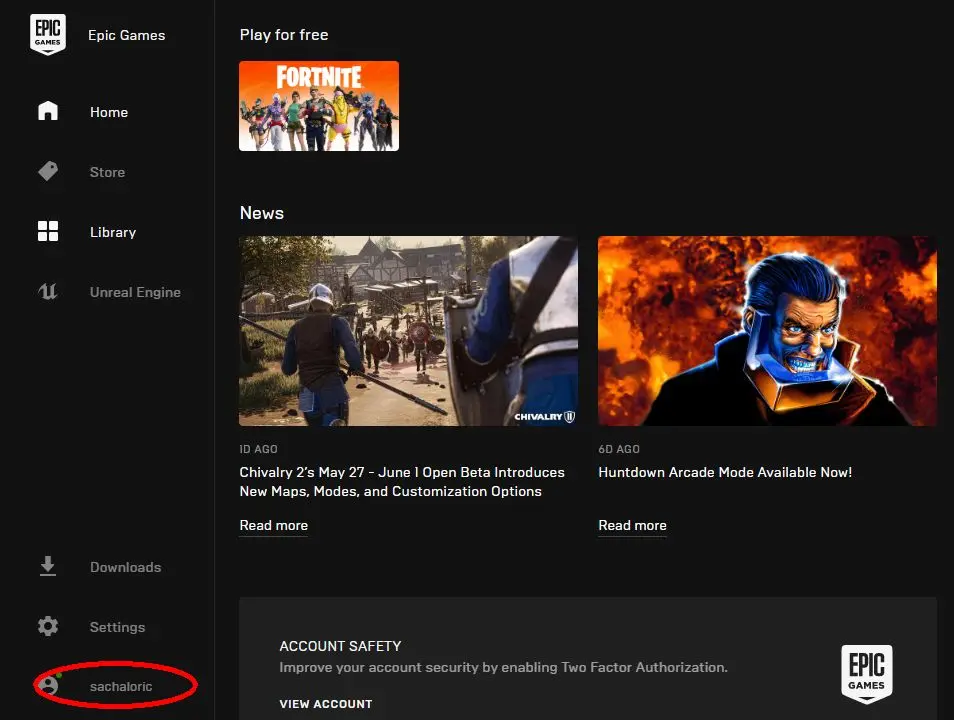
- Click on your name on the lower-left corner of the Launcher menu and select Redeem Code.

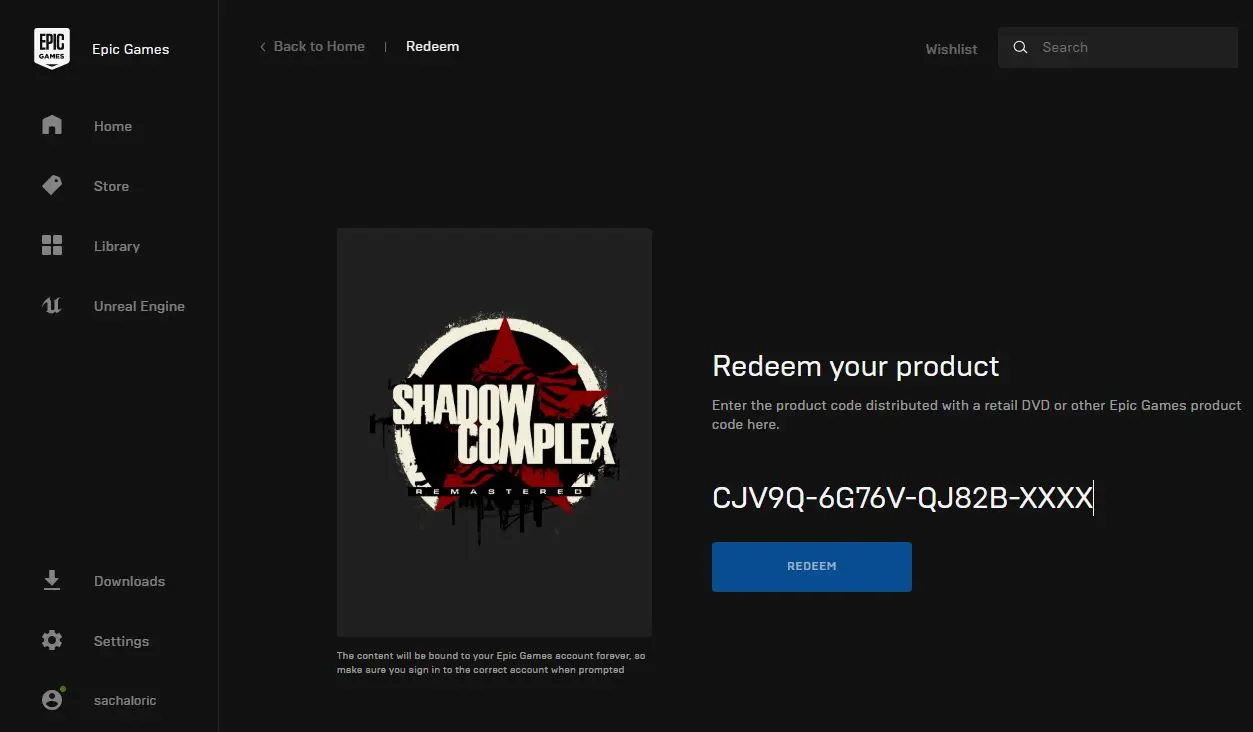
- Enter your CD Key in the box and hit Redeem. You should see a success message on the next screen. Should you get an invalid key error, please check that you’ve inputted the entire key correctly, without typos. If the key is rejected, contact Epic Games support.
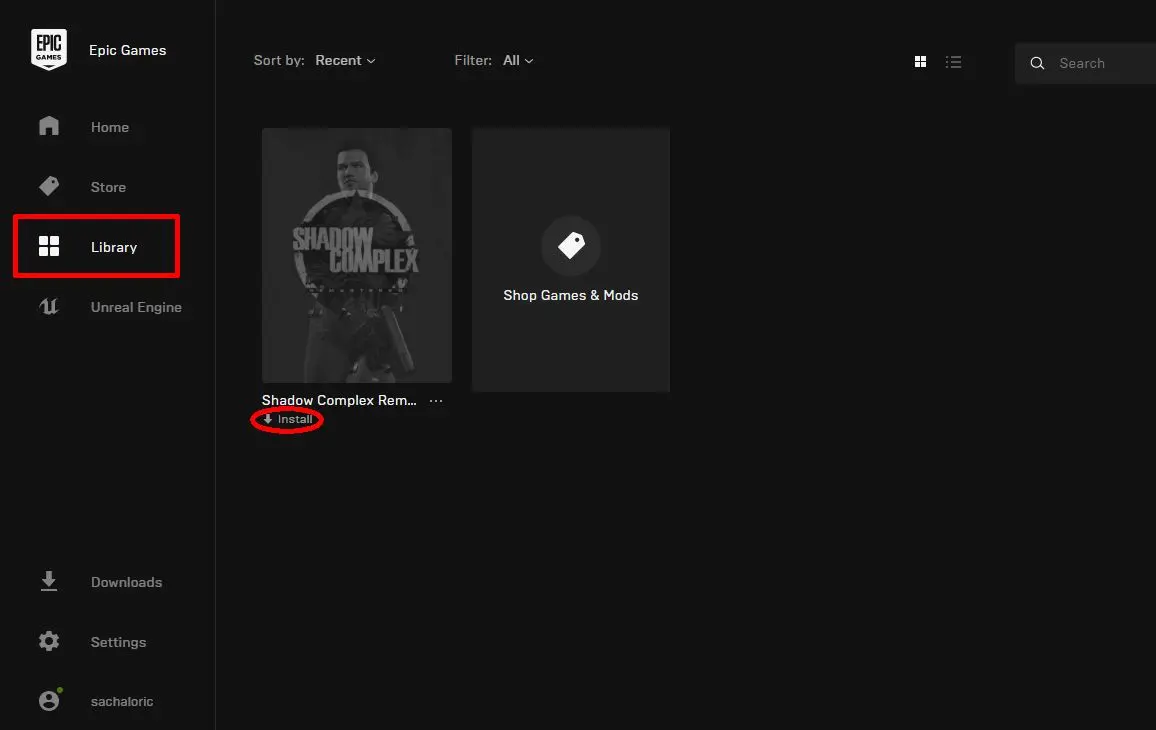
- To download the game, click on Library from the left-hand menu, then click on Download for the game you redeemed. You may also select which directory to install the game.
Epic Games website:
- Log in to your account on the Epic Games website.
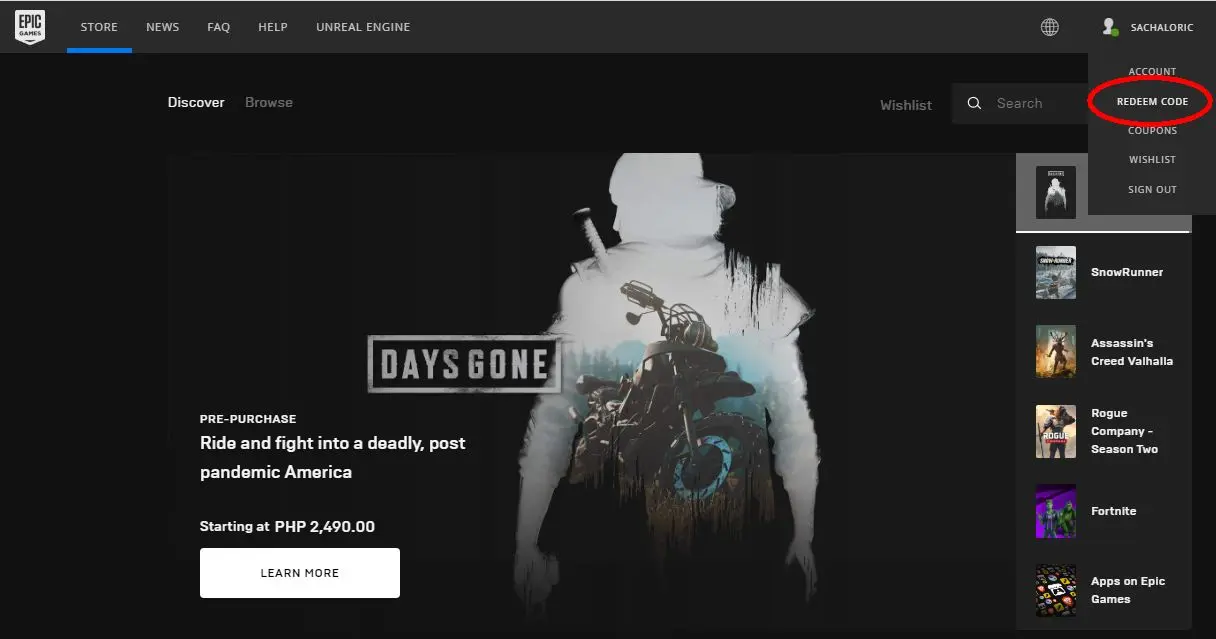
- Hover your mouse cursor over your account name on the upper part of the screen. From the menu, click on Redeem Code.
-
Enter your CD Key in the box and hit Redeem. You should see a success message on the next screen.
- As with the above, use the Epic Games Launcher to install the game.
Now that you know how to activate a CD key on Epic Games, here are a few more things to note:
You may use the Epic Launcher to keep track of all your games. You may also use it as a hub for news and to link to the Epic Games store.
Once you have redeemed a game from either the launcher or the website, it’s yours permanently. You may download and re-download it at any time, on any computer that has Launcher installed. This is highly useful if your hard drive breaks down or if you want to change computers.
Finally, do keep your keys in case you need to provide proof of ownership during a dispute.
Enjoy your game!



- Trending Now
- GameStop’s used PS5 Pro prices are raising eyebrows as GTA 6 approaches10/19/26Hardware News
- GTA 6 Online: Is There Multiplayer at Launch? Everything Confirmed So Far10/19/26Gaming News
- Total War: SHOGUN 2 Complete Edition Is Pulled After a Disastrous Launch10/16/26Gaming News
- GTA 6 launch trailer is here: Rockstar sets the stage for the release10/15/26Gaming News
- GTA 6 Editions Compared: Standard vs Ultimate and Why There's No Deluxe Edition10/12/26Gaming News
- News, Good deals
- Charting the Unknown Video Reveals Sailing, Romance and Castle Housing23 minutes agoGaming News
- REKA 1.0 Officially Launches, Concluding Reka and Baba Jaga's Storyabout 1 hour agoGaming News
- Hunting Simulator 3: Demo, Pre-Order Bonuses and Launch Details3 hours agoGaming News
- Final Fantasy Resonance is now Steam’s most popular Single-Player Final Fantasy10 hours agoGaming News
- SULFUR 1.0 Brings More Gun Magic and Gets Ready for Consoles22 hours agoGaming News
- Remothered: Red Nun’s Legacy Arrives to Close the Horror Trilogy23 hours agoGaming News
- Most Popular
-
£16.69EA SPORTS FC 27Kinguin
-
£45.77Grand Theft Auto 6LDShop
-
£31.64Crimson Desert EnhancedHRKGAME
-
£21.53WardogsK4G
-
£21.50EnshroudedDifmark
- New games
-
£13.59Farming Simulator 25 Beans & Alpacas ExpansionEneba
-
£39.85Dog Man Bark in ActionShopTo
-
£17.99Remothered Red Nun's LegacyKinguin
-
£2.78Stygian Outer GodsKinguin
-
£6.57RekaKinguin
- Available soon
-
£14.98Crimson Desert Enhanced Charting the UnknownKinguin
-
£32.01Phantom Blade ZeroLDShop
-
£21.09Hunting Simulator 3Kinguin
-
£34.16The Cat in the Hat Rainy Day Mayhemrarewaves
-
£29.95Godzilla Destroy All Monsters Melee RemasteredThe Game Collection
answering the message of